Integrating artificial intelligence with pan-tilt-zoom cameras can transform passive video into responsive, searchable security intelligence. Yet the process is more complex than attaching a neural network to a camera feed. Teams must connect detection software, camera controls, network streams, storage, and human review into one dependable workflow. This guide explains how to integrate AI object recognition into existing PTZ systems without replacing valuable hardware.
Andrew Ng, a leading AI educator and co-founder of Google Brain, said, “AI is the new electricity.” His comparison highlights AI’s practical role across modern systems, including video surveillance. However, AI still needs careful engineering. An existing PTZ camera may provide an RTSP stream, while its movement controls use ONVIF or a manufacturer-specific API. The recognition engine must interpret objects quickly, then send precise pan, tilt, and zoom commands. A delay of two seconds can cause a person or vehicle to leave the frame.
Practical deployment begins with a controlled test area. Measure detection accuracy in daylight, darkness, rain, glare, and crowded scenes. Configure confidence thresholds, target priorities, exclusion zones, and manual override controls. Store event clips securely, and limit access according to applicable privacy requirements. Edge processing can reduce latency and bandwidth, especially when several cameras operate simultaneously. Still, no model is perfect. Reflections may resemble vehicles. Occlusion can break tracking. That weakness matters. Reliable systems combine AI alerts with trained human verification, clear maintenance procedures, and regular performance reviews. The goal is not constant automation. It is dependable assistance that helps operators respond faster and make better-informed decisions.
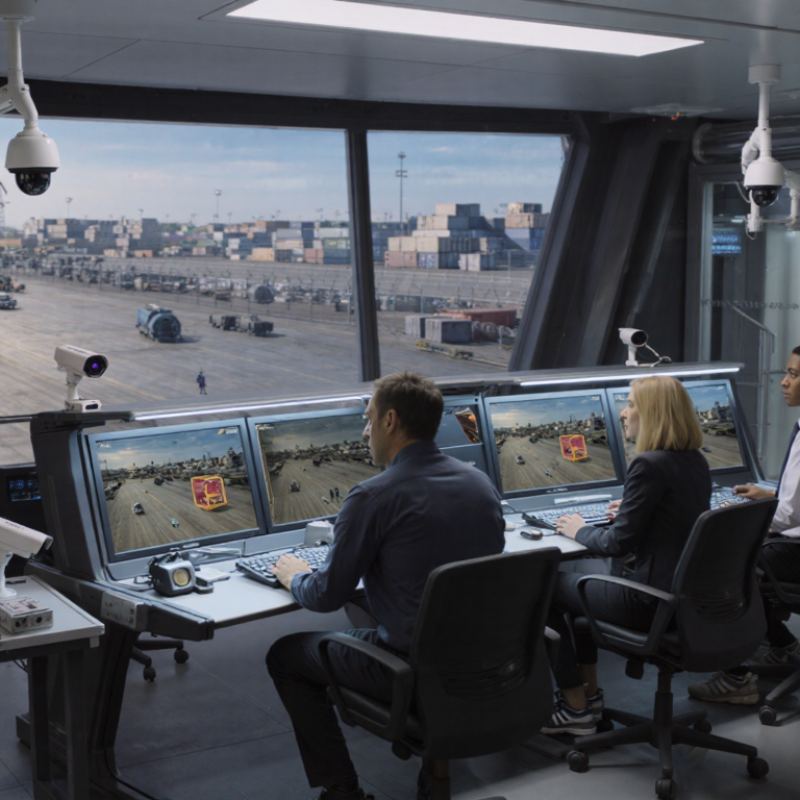
AI object recognition is software that identifies visual patterns in video frames. It may classify a person, vehicle, package, or movement zone. The system usually combines a trained model, image preprocessing, event rules, and confidence thresholds. A PTZ system adds physical control: a pan motor turns horizontally, a tilt motor moves vertically, and a zoom lens changes the viewing distance. Encoders report position, while a controller sends movement commands through the network. The camera only reacts.
Integration connects recognition results with PTZ presets or real-time tracking. For example, a vehicle entering a defined area can trigger a preset, adjust focus, and record a wider scene. Stanford’s 2024 AI Index Report found that inference costs for GPT-3.5-level performance fell more than 280-fold between late 2022 and late 2023. Lower costs may support edge processing, but bandwidth, heat, and maintenance still shape deployment decisions. Faster is not always better.
NIST evaluation research repeatedly shows that image quality and subject conditions can change recognition performance. Therefore, installers should test day, night, glare, rain, and partial obstruction. A high confidence score can still be wrong. That gap matters. PTZ movement may also create motion blur or lose the target during rapid changes. I would keep a fixed overview camera when evidence continuity matters, then use PTZ for closer observation. This design costs more, but it reduces blind moments and makes human review more reliable.
| Category | Item or Dimension | Definition or Typical Data | Role in AI–PTZ Integration | Important Considerations |
|---|---|---|---|---|
| AI Recognition | AI object recognition | A computer-vision process that detects, classifies, and locates objects in images or video frames using a trained machine-learning model. | Provides object type, position, confidence score, and optional tracking information to the PTZ controller. | Recognition accuracy depends on lighting, image quality, viewing angle, object size, occlusion, and model training data. |
| AI Recognition | Object classes | Common classes include person, vehicle, bicycle, animal, package, and other application-specific categories. | Determines which objects should trigger tracking, recording, alerts, or preset-position movement. | The class list should match the operational objective; unnecessary classes can increase false alerts and processing load. |
| AI Recognition | Bounding box | A rectangular image region described by its left, top, width, and height, normally expressed in pixels or normalized coordinates. | Converts the detected object location into a target point for PTZ movement and tracking. | The target point is often the box center or upper-center, depending on whether the system prioritizes full-body or face framing. |
| AI Recognition | Confidence threshold | A configurable score used to accept or reject detections. A practical starting range is often 0.50–0.75, followed by site testing. | Prevents low-confidence detections from causing unnecessary PTZ commands or alerts. | Higher thresholds may reduce false positives but can also miss small, distant, or partially obscured objects. |
| PTZ System | Pan mechanism | The motorized assembly that rotates the camera horizontally around its vertical axis. | Moves the camera left or right so the recognized object remains within the desired image region. | Movement limits, acceleration, speed, backlash, and mounting stability affect tracking smoothness and positioning accuracy. |
| PTZ System | Tilt mechanism | The motorized assembly that rotates the camera vertically around its horizontal axis. | Adjusts the camera’s vertical view to keep the detected target centered or appropriately framed. | A suitable tilt range and calibrated horizon are required for reliable coverage across different elevations. |
| PTZ System | Optical zoom | Lens-based magnification that changes focal length without digitally enlarging the image. | Allows the PTZ camera to obtain a closer view after AI identifies a target. | Zoom level should be controlled with framing rules to avoid excessive cropping, motion blur, or loss of context. |
| PTZ System | Preset positions | Stored pan, tilt, and zoom coordinates that return the camera to predefined viewpoints. | Enables rapid movement to entrances, restricted zones, loading areas, or other predefined locations after an event. | Presets should be tested for visibility, focus, lighting, and coverage at different times of day. |
| Integration | Video input | A network video stream or local camera feed supplied to the AI processing service. | Provides the frames required for object detection and tracking. | Resolution, frame rate, compression, exposure, and network stability directly influence detection quality and latency. |
| Integration | PTZ control interface | A control method used to send pan, tilt, zoom, focus, preset, and auxiliary commands to the camera. | Translates AI decisions into camera actions. | The AI platform and PTZ device must support compatible control protocols, authentication, and command permissions. |
| Integration | Coordinate conversion | The process of converting an object’s image coordinates into pan, tilt, and zoom commands. | Links the AI detection position with the PTZ camera’s mechanical orientation. | Calibration should account for camera mounting height, field of view, lens characteristics, and scene geometry. |
| Performance | End-to-end latency | The time between an object appearing in the video and the PTZ system beginning an appropriate response. | Determines whether the camera can follow fast-moving targets without significant delay. | Latency is affected by capture, encoding, transmission, inference, decision logic, and PTZ motor response. |
| Performance | Detection frame rate | The number of video frames processed by the AI model per second. Real-world systems may process fewer frames than the camera’s maximum stream rate. | Provides updated target positions for continuous tracking. | Higher processing rates can improve responsiveness but require more computing resources and network capacity. |
| Reliability | Tracking logic | A set of rules that maintains target identity across frames and controls reacquisition after temporary loss. | Reduces unnecessary PTZ oscillation and helps the camera resume tracking when the target reappears. | Useful rules include minimum detection duration, target persistence, movement limits, dead zones, and return-to-home behavior. |
| Security | Access and data protection | Controls for user authentication, encrypted communication, camera permissions, video retention, and access to AI-generated metadata. | Protects video streams, PTZ commands, detection results, and system configuration from unauthorized use. | Use least-privilege accounts, secure network segmentation, current firmware, audit logs, and retention policies appropriate to local requirements. |
It needs stable network video, accurate timestamps, clear coverage, and compatible control interfaces. Small errors matter.
AI analyzes each frame and identifies objects, zones, or movement patterns. It sends coordinates and confidence scores to a control layer. That layer creates pan, tilt, and zoom commands.
Useful controls include presets, movement speed limits, focus adjustment, and return-to-home settings. Manual control should always remain available.
Set minimum confidence levels and detection zones. Exclude trees, reflections, busy roads, and frame edges when possible. A short confirmation period can help.
A 400-millisecond delay can let a fast subject leave the target area. A three-second response may miss it completely. Test the full signal path.
Test daylight, dusk, rain, and low indoor light. Use targets at different distances and angles. Record accuracy, response time, tracking stability, and false alerts.
Review weekly samples, including missed detections. Clean lenses, inspect mounting points, and verify time synchronization. Keep backup configurations before changes.
Night scenes may remain unstable, especially with poor lighting or excessive zoom. That weakness should be recorded, not hidden. No setup is perfect.
Use clear permissions, secure network settings, audit logs, and regular privacy checks. Confirm access remains appropriate during every maintenance cycle.
Operators should immediately retain manual camera control. Recheck lighting, network traffic, processing load, and camera movement. I may still miss brief events.
Integrating AI object recognition with a PTZ system begins by understanding how the camera, pan-tilt-zoom mechanism, network connection, processing software, and control interfaces work together. The process should start with a clear assessment of site conditions, coverage goals, lighting, network capacity, privacy requirements, and hardware compatibility. This helps determine whether existing cameras and controllers can support the required data exchange and automation features.
To learn how to integrate AI object recognition into existing ptz systems, connect the cameras to the AI processing platform and link detection results with the PTZ control interface. Configure recognition rules, target categories, motion-following behavior, confidence thresholds, response priorities, and camera presets. After setup, test the system under different lighting, distances, and movement conditions. Fine-tune tracking speed, zoom levels, detection zones, and alerts to reduce unnecessary movement and improve accuracy. Regular software updates, hardware inspections, performance reviews, and rule adjustments will help maintain reliable operation over time.

 HawkEye Camera